Free · No Sign-up · 100% Private
waapp.me
Safe Send WhatsApp Without Saving Contacts
Send WhatsApp messages safely — no contact saved, no data stored, no wrong-number sends.
Works on any device, completely free.


Safe Send WhatsApp Without Saving Contacts
Send WhatsApp messages safely — no contact saved, no data stored, no wrong-number sends.
Works on any device, completely free.
Send WhatsApp
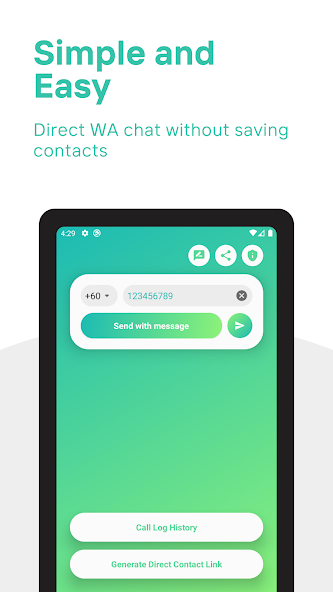
Enter a phone number and an optional message, then open WhatsApp instantly.
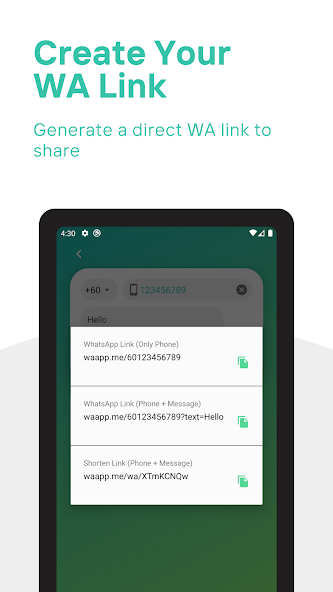
Share this link anywhere — it opens a WhatsApp chat with your number instantly, no contact saving needed. Learn more →
Scan QR code to open WhatsApp
Free Tool
Paste any wa.me or WhatsApp link to instantly decode who it points to, what message it contains, and whether it's safe — before you click.
Android App
Get the dedicated Android app for faster one-tap WhatsApp messaging on the go.
How It Works
Whether you're a seller, rider, or just messaging someone once — it takes under 10 seconds.
Type the number with country code — e.g. 60123456789 for Malaysia. No dashes, spaces, or brackets.
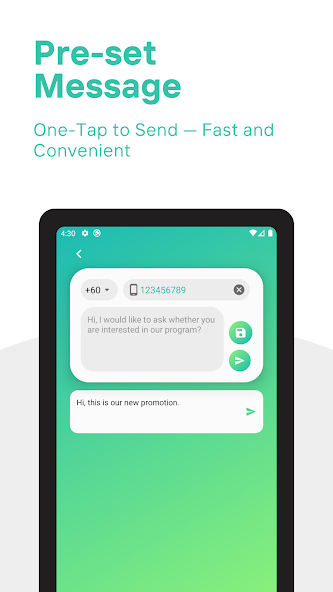
Pre-fill a message to save time — great for order confirmations, greetings, or standard business replies.
Hit "Start WhatsApp Chat" and WhatsApp opens directly. No saving required, nothing stored on our end.
Who Uses waapp.me?
Every order brings a new number. Messaging enquiries, confirming orders, sharing tracking updates — it never stops. waapp.me lets you open a WhatsApp chat with any number instantly, without adding them to your contacts. When the transaction is done, there is nothing to delete. Your contact list stays clean no matter how many customers you deal with in a day.
Delivery riders contact a new customer with every single job — to confirm an address, ask for directions, or notify them of arrival. Saving each number is impractical when you're handling dozens of deliveries a day. waapp.me lets you paste the number, send the message, and move on — without a contact ever being created. Faster handoffs, zero clutter.
When you're searching for a place to rent or buy, you often need to contact many agents at once — asking about availability, requesting addresses, arranging viewings. Most of those conversations will go nowhere. waapp.me lets you reach out to each one immediately without saving a number you may never use again. For agents, the same applies: respond to every enquiry fast, without every cold lead ending up in your phone book permanently.
Support teams that use WhatsApp to follow up with customers face a constant problem: every new case means a new number to save, and those numbers accumulate fast. waapp.me removes the need to save anything at all. An agent can open a chat with any customer number in seconds, directly from their browser — no contacts app, no admin, no cleanup. It also works on desktop, so the whole team can use it without touching their personal phones.
You meet someone at a conference. A vendor sends over their WhatsApp number. A referral comes through with contact details attached. In each case, you need to send one message — an introduction, a follow-up, a question. waapp.me handles that instantly, without the number ever entering your contacts. If the relationship develops, you can save them properly later. If it doesn't, there is nothing to clean up.
Your contact list is more personal than most people realise — it is a record of everyone you have ever chosen to stay in touch with. Filling it with strangers, one-time contacts, and people you will never speak to again dilutes that. waapp.me lets you communicate freely without leaving a permanent trace in your contacts. The number is never saved, your phone book stays meaningful, and your privacy stays intact.
Features & Guides
FAQ
Everything you need to know about waapp.me — how it works, who it's for, and why it's safe.
https://wa.me/[number]. When you enter a phone number and press the
button, your browser opens WhatsApp directly with that chat ready to go. Everything happens
locally in your browser. No data is sent to our servers, no contact is saved on your device, and
nothing is stored anywhere. It's the same link format WhatsApp uses for its own business buttons
— we just provide a clean, fast interface to generate it.waapp.me/[number]/[message]
that opens a WhatsApp chat instantly when clicked — without saving the contact first. Place it
in your social media bio, email signature, or anywhere you share your number. It's generated
automatically as you type and available to copy with one click.Why waapp.me Exists
The story behind the tool, how it works, and why millions of people need it every day.
WhatsApp is used by over two billion people worldwide. For most of them, it is the primary way they communicate — with family, friends, colleagues, and the dozens of new people they need to reach every week. Yet despite its scale, WhatsApp has always had one persistent design limitation: you cannot send a message to a number that isn't already saved in your contacts.
For casual personal use, this is rarely a problem. But for the growing number of people who regularly need to contact new numbers — whether for work, for transactions, for enquiries, or for anything else — this requirement creates a tedious and repetitive chain of steps: open the contacts app, create a new contact, decide on a name, save it, switch back to WhatsApp, search for the contact, and then finally start the conversation. Then, when the exchange is over, the number sits in your contact list indefinitely. Nobody schedules time to go back and delete it. Over months and years, the result is a contact list full of people you no longer recognise, numbers saved under labels you've long forgotten, and strangers you'll never contact again.
This is not a niche problem. It affects delivery riders who message a new customer with every job. It affects anyone house-hunting who needs to contact multiple property agents in a single afternoon. It affects customer service agents who handle dozens of new enquiries a day. It affects freelancers, field staff, event coordinators, and anyone whose work involves reaching new people on WhatsApp regularly. The friction is small each time — but multiplied across hundreds of interactions, it represents a real and unnecessary cost in time and mental overhead.
WhatsApp officially supports a deep-link URL format — https://wa.me/[number]
— that opens a direct chat with any registered WhatsApp number, without requiring it to be saved
first. This is the same standard WhatsApp publishes for businesses that want to add "Chat on
WhatsApp" buttons to their websites. waapp.me provides a clean, fast interface to generate this
link for any number you enter, on any device, in seconds.
The process takes under ten seconds: enter the phone number with its international country code, add an optional pre-filled message if you want, and press the button. WhatsApp opens with the chat ready. No contact is created on your device, nothing is stored on our servers, and there is no trace left behind when you close the tab. The next time you need to message a new number, the process is identical — fast, clean, and completely private.
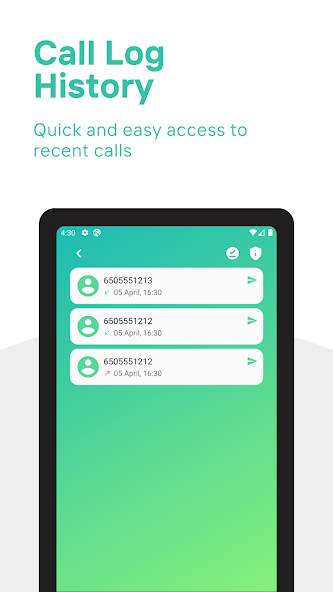
waapp.me works on every platform where WhatsApp is available: iPhone, Android, Windows, macOS, and any modern browser. The web tool requires no installation and no account. There is also a dedicated Android app on Google Play for users who want even faster one-tap access, with additional features like call log integration for delivery and logistics use cases.
Most tools that involve phone numbers require you to trust that the developer handles your data responsibly. waapp.me takes a different approach: it is built so that your data never reaches us in the first place. The phone number you enter and the message you type are processed entirely within your browser. When you press the button, your browser constructs the WhatsApp link locally and opens it directly. There is no API call to our servers, no form submission, and no logging of any kind.
This matters because it means waapp.me cannot collect your data even if it wanted to. We have no database of phone numbers, no record of who used the tool or when, and no way to connect any activity on waapp.me to any individual user. The only data we receive is standard web analytics — page views and session counts — which contains no personal information.
waapp.me does not sit between you and WhatsApp. Once the chat opens, everything that follows — your message, the conversation, the encryption — is handled entirely by WhatsApp. End-to-end encryption applies exactly as it would for any other WhatsApp conversation. waapp.me is verified safe by Google Safe Browsing, and is used daily by over 4,000 users across more than 50 countries. No installation, no account, no compromise on privacy.
Why It Matters
Saving every contact you message is a habit worth rethinking — for your privacy, your productivity, and your phone.
Most people save a number the moment they need to send a WhatsApp message — even if the interaction is a one-time transaction. A buyer who just ordered something online. A delivery address to confirm. A repair service you called once. Within a year, the average person has hundreds of temporary contacts they will never contact again, mixed in with the people who actually matter.
This creates real problems. Your contacts app becomes a cluttered archive rather than a useful address book. WhatsApp shows every contact your profile photo and status. And when you get a message from an unknown number, you can no longer tell whether it's someone you genuinely know or a number you saved once and forgot. Removing temporary contacts before they accumulate is simpler — and that's exactly what not saving them achieves.
When you save a number, WhatsApp immediately syncs it to their servers and uses it to match the contact to a WhatsApp account. That person can now see your profile photo, your last seen status, and your "About" — even before you've said a word. For many users, this level of exposure to a stranger feels uncomfortable. Not saving the number keeps the interaction limited to the conversation itself, without granting passive access to your profile.
Privacy protection on WhatsApp works best when it's structural — not just through settings, but through what you choose to do and not do. Avoiding unnecessary contact saves is one of the simplest privacy habits you can build, and it costs nothing.
In markets where WhatsApp is the dominant business communication channel — including Malaysia, Indonesia, India, Brazil, and much of Southeast Asia — the ability to message new numbers instantly without saving them is a significant operational advantage. For teams handling WhatsApp marketing outreach, customer service queues, or field sales, saving a contact before every message adds unnecessary steps to every interaction.
Online sellers managing orders across multiple platforms, delivery riders confirming drop-off addresses, property agents responding to enquiries from listing portals — all of them regularly need to message numbers they will never contact again. A tool that opens a WhatsApp chat directly, without a contact being created, fits naturally into these workflows without requiring any change to existing systems.
waapp.me's Safe Send feature adds an extra layer of reliability for business use: a confirmation screen that shows the exact number and pre-filled message before WhatsApp opens. For high-volume use cases where a wrong-number send wastes time or creates confusion, this small step eliminates the most common source of error.